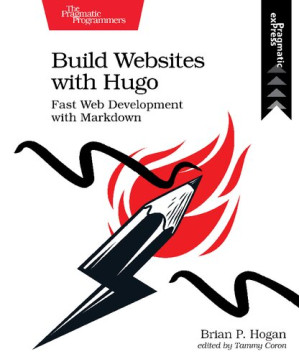
Build websites with Hugo : fast web development with Markdown 🔍
Brian P. Hogan
Pragmatic Programmers, LLC, The; Pragmatic Bookshelf, 1, US, 2020
英语 [en] · PDF · 13.1MB · 2020 · 📘 非小说类图书 · 🚀/lgli/lgrs/nexusstc/upload/zlib · Save
描述
Rediscover how fun web development can be with Hugo, the static site generator and web framework that lets you build content sites quickly, using the skills you already have. Design layouts with HTML and share common components across pages. Create Markdown templates that let you create new content quickly. Consume and generate JSON, enhance layouts with logic, and generate a site that works on any platform with no runtime dependencies or database. Hugo gives you everything you need to build your next content site and have fun doing it.
Published: 2020-05-10
Release: P1.0 (2020-05-06)
ISBN: 978-1-68050-726-3
Database-driven sites bring complexity you might not need, but building a site by hand is too much work. Hugo is a static site generator and web development framework that creates content sites quickly without the overhead or dependencies of a dyanmic web framework. With Hugo, you use HTML templates and Markdown to build static sites you can host anywhere, letting you use the skills you already have.
Develop your own theme using standard HTML and CSS, using Hugos powerful templating features to organize your sites components. Create your sites content with HTML or Markdown and use Hugos content templating features to build new content quickly. Build a fully-featured blog with archive pages, tagging, and pagination, and integrate an external commenting system to provide interactivity. Use data from front-matter, site-wide configuration, and external JSON sources to add content, and generate JSON others can use. Integrate JavaScript with your site to create a search engine. Get Hugo working with Webpack so you can leverage the wider web development ecosystem, and explore ways to publish your site to various services. Finally, learn how you can move your existing content site to Hugo.
Dive in and build your next site with Hugo!
Published: 2020-05-10
Release: P1.0 (2020-05-06)
ISBN: 978-1-68050-726-3
Database-driven sites bring complexity you might not need, but building a site by hand is too much work. Hugo is a static site generator and web development framework that creates content sites quickly without the overhead or dependencies of a dyanmic web framework. With Hugo, you use HTML templates and Markdown to build static sites you can host anywhere, letting you use the skills you already have.
Develop your own theme using standard HTML and CSS, using Hugos powerful templating features to organize your sites components. Create your sites content with HTML or Markdown and use Hugos content templating features to build new content quickly. Build a fully-featured blog with archive pages, tagging, and pagination, and integrate an external commenting system to provide interactivity. Use data from front-matter, site-wide configuration, and external JSON sources to add content, and generate JSON others can use. Integrate JavaScript with your site to create a search engine. Get Hugo working with Webpack so you can leverage the wider web development ecosystem, and explore ways to publish your site to various services. Finally, learn how you can move your existing content site to Hugo.
Dive in and build your next site with Hugo!
备用文件名
nexusstc/Build Websites with Hugo: Fast Web Development with Markdown/07c50a9145e87d48e78dcb1c958bc0ca.pdf
备用文件名
lgli/Pragmatic.Bookshelf.Build.Websites.with.Hugo.Fast.Web.Development.with.Markdown.1680507265.pdf
备用文件名
lgrsnf/Pragmatic.Bookshelf.Build.Websites.with.Hugo.Fast.Web.Development.with.Markdown.1680507265.pdf
备用文件名
zlib/Computers/Web Development/Brian P. Hogan/Build Websites with Hugo: Fast Web Development with Markdown_18660199.pdf
备选作者
Hogan, Brian P.
备用出版商
Pragmatic Bookshelf, The
备用出版商
O'Reilly Media
备用版本
Pragmatic programmers, Raleigh, North Carolina, 2020
备用版本
O'Reilly Media, Raleigh, North Carolina, 2020
备用版本
United States, United States of America
元数据中的注释
Vector PDF
元数据中的注释
producers:
XEP 4.19 build 20110304
XEP 4.19 build 20110304
元数据中的注释
{"edition":"1","isbns":["1680507265","9781680507263"],"last_page":146,"publisher":"Pragmatic Bookshelf"}
备用描述
Cover 1
Table of Contents 7
Acknowledgments 10
Preface 11
What’s in This Book 12
What You Need 13
Conventions 14
Online Resources 15
1. Kicking the Tires 16
Installing Hugo 16
Creating Your Site 18
Building the Home Page 19
Creating Content Using Archetypes 23
Building and Exploring Hugo’s Output 26
Your Turn 27
Wrapping Up 28
2. Building a Basic Theme 29
Generating the Theme 30
Using Content Blocks and Partials 31
Styling the Theme with CSS 35
Your Turn 38
Wrapping Up 38
3. Adding Content Sections 39
Creating a Project Archetype 39
Creating the List Layout 41
Creating More Specific Layouts 43
Adding Content to List Pages 45
Customizing the Project List 46
Your Turn 47
Wrapping Up 47
4. Working with Data 48
Using Site Configuration Data in Your Theme 48
Populating Page Content Using Data in Front Matter 49
Conditionally Displaying Data 53
Using Local Data Files 55
Pulling Data from Remote Sources 57
Syndicating Content with RSS 61
Rendering Content as JSON 63
Your Turn 65
Wrapping Up 66
5. Adding a Blog 67
Creating the Post’s Layout 68
Organizing Content with Taxonomies 70
Customizing the URL for Posts 74
Customizing Blog List Pages 77
Adding Pagination 80
Adding Comments to Posts Using Disqus 83
Displaying Related Content 87
Your Turn 90
Wrapping Up 90
6. Adding Search to Your Site 91
Creating the Document Collection 92
Creating the Search Interface 94
Improving the Search 98
Your Turn 100
Wrapping Up 101
7. Managing Assets with Pipes 102
Managing Stylesheets 103
Managing Images 106
Bundling JavaScript Files 112
Using Webpack and npm with Hugo 113
Your Turn 118
Wrapping Up 118
8. Deploying the Site 120
Deploying to Netlify 121
Deploying to Cloud Storage with Hugo 125
Deploying to a Traditional Web Server 129
Your Turn 132
Wrapping Up 132
A1. Migrating to Hugo 133
Understanding What You Have 133
Transferring the Content 134
Replicating the Theme 139
Making the Switch 140
Wrapping Up 140
Bibliography 141
Table of Contents 7
Acknowledgments 10
Preface 11
What’s in This Book 12
What You Need 13
Conventions 14
Online Resources 15
1. Kicking the Tires 16
Installing Hugo 16
Creating Your Site 18
Building the Home Page 19
Creating Content Using Archetypes 23
Building and Exploring Hugo’s Output 26
Your Turn 27
Wrapping Up 28
2. Building a Basic Theme 29
Generating the Theme 30
Using Content Blocks and Partials 31
Styling the Theme with CSS 35
Your Turn 38
Wrapping Up 38
3. Adding Content Sections 39
Creating a Project Archetype 39
Creating the List Layout 41
Creating More Specific Layouts 43
Adding Content to List Pages 45
Customizing the Project List 46
Your Turn 47
Wrapping Up 47
4. Working with Data 48
Using Site Configuration Data in Your Theme 48
Populating Page Content Using Data in Front Matter 49
Conditionally Displaying Data 53
Using Local Data Files 55
Pulling Data from Remote Sources 57
Syndicating Content with RSS 61
Rendering Content as JSON 63
Your Turn 65
Wrapping Up 66
5. Adding a Blog 67
Creating the Post’s Layout 68
Organizing Content with Taxonomies 70
Customizing the URL for Posts 74
Customizing Blog List Pages 77
Adding Pagination 80
Adding Comments to Posts Using Disqus 83
Displaying Related Content 87
Your Turn 90
Wrapping Up 90
6. Adding Search to Your Site 91
Creating the Document Collection 92
Creating the Search Interface 94
Improving the Search 98
Your Turn 100
Wrapping Up 101
7. Managing Assets with Pipes 102
Managing Stylesheets 103
Managing Images 106
Bundling JavaScript Files 112
Using Webpack and npm with Hugo 113
Your Turn 118
Wrapping Up 118
8. Deploying the Site 120
Deploying to Netlify 121
Deploying to Cloud Storage with Hugo 125
Deploying to a Traditional Web Server 129
Your Turn 132
Wrapping Up 132
A1. Migrating to Hugo 133
Understanding What You Have 133
Transferring the Content 134
Replicating the Theme 139
Making the Switch 140
Wrapping Up 140
Bibliography 141
备用描述
Rediscover how fun web development can be with Hugo, the static site generator and web framework that lets you build content sites quickly, using the skills you already have. Design layouts with HTML and share common components across pages. Create Markdown templates that let you create new content quickly. Consume and generate JSON, enhance layouts with logic, and generate a site that works on any platform with no runtime dependencies or database. Hugo gives you everything you need to build your next content site and have fun doing it. Database-driven sites bring complexity you might not need, but building a site by hand is too much work. Hugo is a static site generator and web development framework that creates content sites quickly without the overhead or dependencies of a dyanmic web framework. With Hugo, you use HTML templates and Markdown to build static sites you can host anywhere, letting you use the skills you already have. Develop your own theme using standard HTML and CSS, using Hugo’s powerful templating features to organize your site’s components. Create your site’s content with HTML or Markdown and use Hugo’s content templating features to build new content quickly. Build a fully-featured blog with archive pages, tagging, and pagination, and integrate an external commenting system to provide interactivity. Use data from front-matter, site-wide configuration, and external JSON sources to add content, and generate JSON others can use. Integrate JavaScript with your site to create a search engine. Get Hugo working with Webpack so you can leverage the wider web development ecosystem, and explore ways to publish your site to various services. Finally, learn how you can move your existing content site to Hugo. Dive in and build your next site with Hugo! -- Provided by publisher
开源日期
2022-01-07
🚀 快速下载
成为会员以支持书籍、论文等的长期保存。为了感谢您对我们的支持,您将获得高速下载权益。❤️
🐢 低速下载
由可信的合作方提供。 更多信息请参见常见问题解答。 (可能需要验证浏览器——无限次下载!)
- 低速服务器(合作方提供) #1 (稍快但需要排队)
- 低速服务器(合作方提供) #2 (稍快但需要排队)
- 低速服务器(合作方提供) #3 (稍快但需要排队)
- 低速服务器(合作方提供) #4 (稍快但需要排队)
- 低速服务器(合作方提供) #5 (无需排队,但可能非常慢)
- 低速服务器(合作方提供) #6 (无需排队,但可能非常慢)
- 低速服务器(合作方提供) #7 (无需排队,但可能非常慢)
- 低速服务器(合作方提供) #8 (无需排队,但可能非常慢)
- 低速服务器(合作方提供) #9 (无需排队,但可能非常慢)
- 下载后: 在我们的查看器中打开
所有选项下载的文件都相同,应该可以安全使用。即使这样,从互联网下载文件时始终要小心。例如,确保您的设备更新及时。
外部下载
-
对于大文件,我们建议使用下载管理器以防止中断。
推荐的下载管理器:JDownloader -
您将需要一个电子书或 PDF 阅读器来打开文件,具体取决于文件格式。
推荐的电子书阅读器:Anna的档案在线查看器、ReadEra和Calibre -
使用在线工具进行格式转换。
推荐的转换工具:CloudConvert和PrintFriendly -
您可以将 PDF 和 EPUB 文件发送到您的 Kindle 或 Kobo 电子阅读器。
推荐的工具:亚马逊的“发送到 Kindle”和djazz 的“发送到 Kobo/Kindle” -
支持作者和图书馆
✍️ 如果您喜欢这个并且能够负担得起,请考虑购买原版,或直接支持作者。
📚 如果您当地的图书馆有这本书,请考虑在那里免费借阅。
下面的文字仅以英文继续。
总下载量:
“文件的MD5”是根据文件内容计算出的哈希值,并且基于该内容具有相当的唯一性。我们这里索引的所有影子图书馆都主要使用MD5来标识文件。
一个文件可能会出现在多个影子图书馆中。有关我们编译的各种数据集的信息,请参见数据集页面。
有关此文件的详细信息,请查看其JSON 文件。 Live/debug JSON version. Live/debug page.